Guide to Conducting Successful Video Interviews on Location

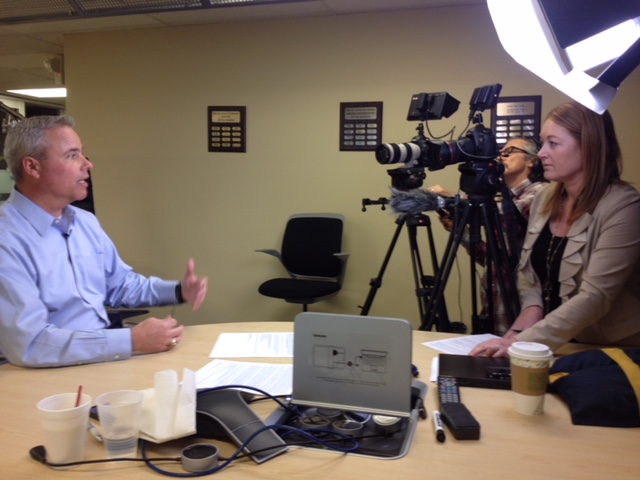
Are you considering incorporating video interviews into your marketing or promotional efforts? Video interviews are a powerful tool for connecting with your audience, conveying your message, and humanizing your brand. At St. Louis Camera Crew, we’ve been producing top-notch video content since 1982, and we’re here to guide you through the process of conducting successful video interviews on location. In this comprehensive guide, we’ll cover everything from pre-production planning to post-production editing, ensuring that your video interviews leave a lasting impression.

Develop a script that outlines the flow of the conversation and provides guidance to both the interviewer and interviewee.

Introduction

Video interviews offer a dynamic way to engage with your audience, share insights, and tell your story. Whether you’re conducting interviews for customer testimonials, expert opinions, or internal training, the process requires careful planning, technical expertise, and creativity.

At St. Louis Camera Crew, we understand the art and science of video production like no other. With over three decades of experience, we’ve honed our skills in creating captivating video interviews that resonate with viewers. Let’s dive into the essential steps to ensure your video interviews are a resounding success.

Pre-Production Planning

Identifying Your Goals

Before you embark on any video project, it’s crucial to define your goals. What do you hope to achieve with your video interviews? Are you aiming to build trust, educate your audience, or promote a product or service? Understanding your objectives will guide every aspect of the production process.

Selecting the Right Location

Choosing the right location for your video interviews is pivotal. It should align with your goals and enhance the narrative. Whether it’s your office, an outdoor setting, or a rented studio, consider factors like lighting, background noise, and aesthetics.

Choosing the Right Talent

Your choice of talent—interviewees or hosts—can make or break your video interviews. Look for individuals who are knowledgeable, articulate, and passionate about the subject matter. Prepare them for the interview by providing an outline of questions and expected talking points.

Scripting and Question Preparation

A well-structured script and thoughtful questions are the backbone of a successful video interview. Develop a script that outlines the flow of the conversation and provides guidance to both the interviewer and interviewee. Craft questions that encourage informative and engaging responses.

Equipment and Setup

Cameras and Lenses

Invest in high-quality cameras and lenses to capture sharp, professional-looking footage. Consider factors like resolution, frame rate, and lens selection based on your project’s requirements.

Lighting

Proper lighting is essential for achieving a polished look. Use a combination of natural and artificial lighting to illuminate your subjects evenly. Avoid harsh shadows and overexposure.

Audio

Crystal-clear audio is non-negotiable. Use lavalier microphones or shotgun microphones to capture pristine sound. Invest in audio recording equipment and ensure your talent is properly mic’d.

Framing and Composition

Pay attention to framing and composition to create visually appealing interviews. Use the rule of thirds, maintain eye contact, and vary shot types for added interest.

On-Location Tips

Managing the Environment

Control the environment to minimize distractions and ensure a focused interview. Eliminate background noise, secure permissions for shooting, and have backup plans in case of unexpected challenges.

Conducting the Interview

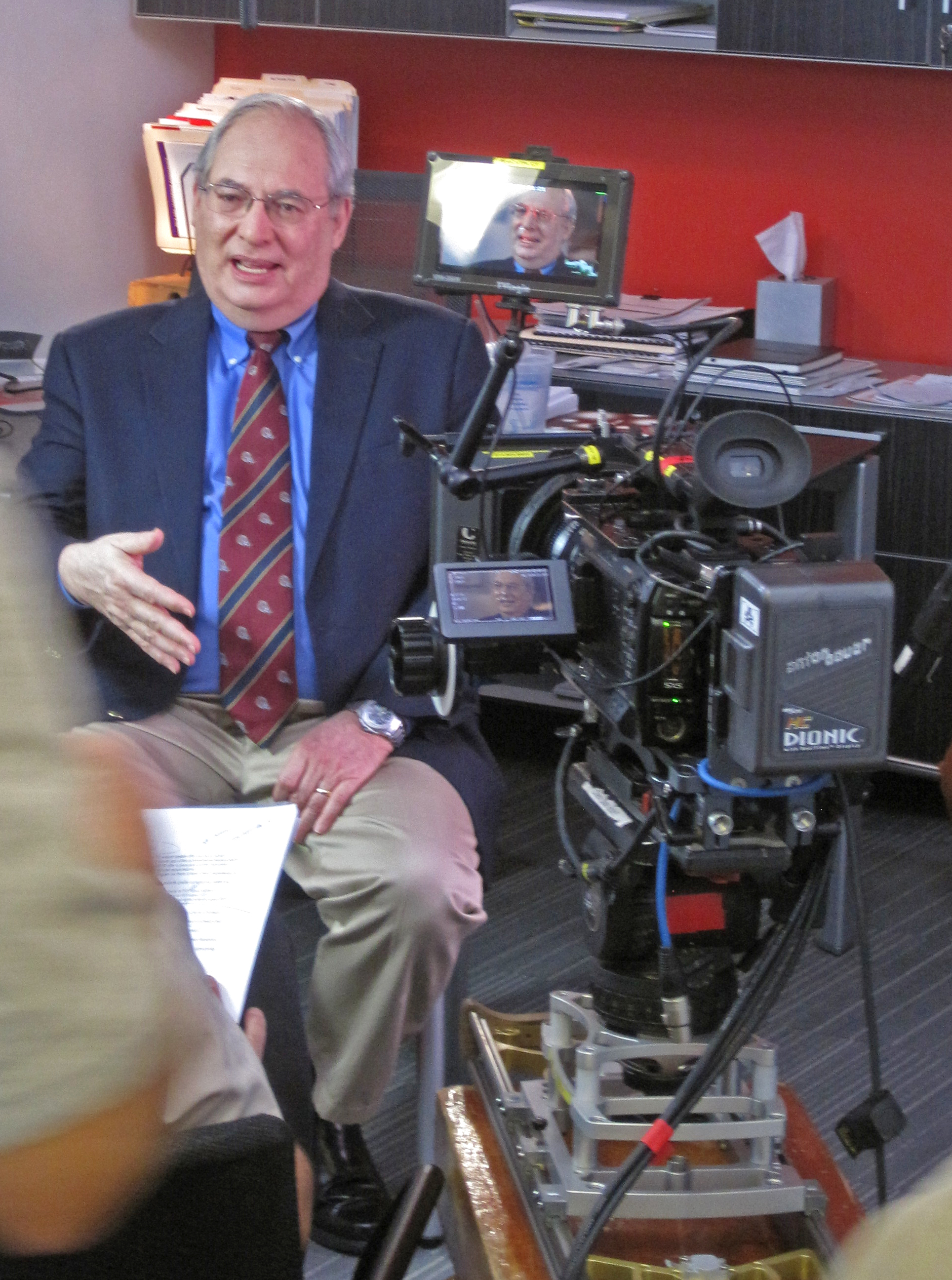
During the interview, maintain a professional and engaging atmosphere. Encourage natural conversation, active listening, and follow-up questions. Make your interviewees feel comfortable and relaxed.

Multiple Takes and Safety Shots

It’s wise to capture multiple takes of critical segments and safety shots to ensure you have enough material for post-production. Don’t rush the process; quality takes precedence over speed.

Post-Production

Video Editing

Video editing is where the magic happens. Edit your footage to create a compelling narrative. Trim unnecessary sections, enhance colors, and maintain a consistent pacing throughout the interview.

Audio Enhancement

In post-production, clean up and enhance your audio tracks. Remove background noise, adjust levels, and add music or sound effects to enhance the viewer’s experience.

Graphics and Text

Incorporate graphics, text overlays, and lower-thirds to provide context and reinforce key points. Consistent branding elements help maintain a professional look.

Adding B-Roll Footage

B-Roll footage, supplemental video clips, and visuals can add depth and context to your interviews. Use B-Roll strategically to emphasize key points and maintain viewer engagement.

Distribution and Promotion

Choosing Platforms

Select the right platforms for sharing your video interviews. Consider YouTube, Vimeo, social media channels, and your website. Tailor your content to each platform’s audience and guidelines.

Optimizing for SEO

Optimize your video titles, descriptions, and tags for search engines. Use relevant keywords to increase discoverability. Engage with your audience through comments and sharing.

Engaging Your Audience

Encourage audience engagement through calls to action, sharing options, and interactive elements. Respond to comments and feedback promptly to build a sense of community.

Conclusion

Conducting successful video interviews on location requires careful planning, technical expertise, and creative storytelling. By following the steps outlined in this guide, you can create compelling video content that resonates with your audience and achieves your goals.

At St. Louis Camera Crew, we bring over four decades of experience to the table. Our team is well-versed in all aspects of video production, from pre-production planning to post-production editing. We understand the nuances of conducting interviews, gathering B-Roll shots, and creating market-enhancing video productions.

Whether you’re a business looking to shoot customer testimonials or an organization seeking expert insights, we have the expertise and equipment to deliver outstanding results. As a creative video production company based in St. Louis, we’ve worked with businesses and organizations of all types and sizes in the area. We excel at shooting testimonials and capturing B-Roll shots that enhance the interview.

Don’t miss the opportunity to leverage the power of video interviews for your business marketing and advertising needs. Contact St. Louis Camera Crew today to learn how we can help you achieve your video production goals.
314-913-5626

stlouiscameracrew@gmail.com

Basic Lighting Techniques When Making Video Content

As a video producer at St Louis Camera Crew, I’ve had the privilege of working on numerous video projects, ranging from corporate commercials to event coverage and everything in between. One thing I’ve learned over the years is the critical importance of lighting in video production. No matter how advanced your camera equipment is or how talented your actors or subjects are, poor lighting can ruin the entire video. In this blog post, I’ll be sharing some basic lighting techniques that will help you create visually stunning and professional-looking video content.

Proper Lighting for the Best Recordings.

Understanding the Three-Point Lighting Setup

One of the fundamental lighting techniques used in video production is the three-point lighting setup. This setup consists of three primary light sources: the key light, the fill light, and the backlight.

Key Light

The key light is the primary light source and serves as the main illumination for your subject. It should be positioned at a 45-degree angle to the subject, slightly above their eye level. This positioning helps create natural shadows and highlights, giving depth and dimension to the subject.

Fill Light

The fill light is used to soften the shadows created by the key light. It is usually placed on the opposite side of the key light, also at a 45-degree angle to the subject. The intensity of the fill light is typically less than that of the key light to maintain a balanced look.

Backlight

The backlight, as the name suggests, is placed behind the subject, aimed at them from a higher angle. This light helps separate the subject from the background, adding a sense of depth to the shot and preventing them from blending into the background.

Embracing Natural Light

While artificial lighting setups are essential for controlled environments, natural light can often be a videographer’s best friend. Shooting outdoors during the golden hour (the hour after sunrise and the hour before sunset) provides a soft, warm glow that can add a beautiful cinematic touch to your videos.

During midday when the sunlight is harsh, seek shaded areas to avoid unflattering shadows on your subject’s face. If you must shoot in direct sunlight, consider using diffusers or reflectors to soften the light and reduce contrast.

Playing with Shadows

Shadows are not always the enemy; they can add drama and depth to your shots when used creatively. Experiment with different lighting angles to cast interesting shadows on your set. You can use gobos (go-betweens) or cutters to shape and control the shadows as per your artistic vision.

Using Practical Lights

Practical lights are lights that are visible within the frame and serve a functional purpose in the scene. For example, lamps, candles, or even a TV screen can act as practical lights. These lights can enhance the realism of the scene and add a touch of ambiance.

Incorporating Color Temperature

Understanding color temperature is crucial in video production. Different light sources emit light at varying color temperatures, measured in Kelvin (K). For instance, daylight has a higher color temperature (around 5600K), while indoor lighting is warmer (around 3200K). It’s essential to balance the color temperatures of your light sources to avoid an unnatural look.

Creating Silhouettes

Silhouettes can be a powerful and artistic way to tell a story visually. To create a silhouette, position your subject between the camera and a strong light source, such as the setting sun or a bright backdrop. Make sure the subject remains in shadow while the background is well-lit. This technique can be particularly effective in emotional or dramatic scenes.

Modifying Light with Diffusion and Softboxes

Sometimes, you might want to soften the harshness of your lights for a more flattering look. Using diffusers or softboxes can help achieve this. Diffusers are translucent materials placed in front of the light source to scatter and soften the light, reducing hard shadows. Softboxes are like portable light modifiers that create a soft, even spread of light. They are excellent for portrait shots and interviews.

The Importance of Light Consistency

Consistency is key in video production. When shooting a scene that spans multiple takes or angles, ensure the lighting remains consistent throughout. Even subtle changes in lighting can be jarring to the viewer and affect the overall production quality.

Mastering White Balance

Proper white balance ensures that the colors in your video appear natural and accurate. Most modern cameras have an auto-white balance function, but it’s always a good idea to set it manually for more control. Use a white balance card or a neutral gray card to calibrate the camera and maintain consistency across different shots.

Lighting Safety and Precautions

Working with lighting equipment involves electrical connections and heat sources, so it’s essential to follow safety precautions. Always use surge protectors, secure cables to prevent tripping hazards, and keep flammable materials away from hot lights.

Conclusion

Lighting is undeniably one of the most critical aspects of video production. By mastering basic lighting techniques and understanding how to manipulate light creatively, you can elevate the visual quality of your videos significantly. Whether you’re shooting a corporate promotional video, a documentary, or an event coverage, applying these lighting techniques will make a noticeable difference in the final product.

At St Louis Camera Crew, we are passionate about delivering top-notch video production and photography services to our clients. With our years of experience, state-of-the-art equipment, and a team of skilled professionals, we are well-equipped to meet all your video production requirements in the St. Louis region. As professional videographers and photographers, St Louis Video Production Crews has created hundreds of productions for all types of large and small businesses and events in the area.

If you’re looking to enhance your branding and business marketing communications through high-quality video content, don’t hesitate to contact us. Let us help you create visually captivating and engaging videos that leave a lasting impression on your audience.


Contact us today to learn more about our comprehensive video production services in St. Louis and beyond. Contact St Louis Camera Crew.

314-913-5626

stlouiscameracrew@gmail.com

How to Make Video and Photography an Integral Part of Your Social Media Marketing Strategy.

Make Video and Photography an Integral Part of Your Social Media Marketing Strategy and witness your engagement levels growth.

Social media marketing is a powerful tool that can help businesses reach new customers, increase brand recognition, and boost sales. As businesses increasingly rely on social media to grow their audience, video and photography have become essential components of a successful social media marketing strategy. By leveraging the power of video and photography, businesses can create more engaging content, reach new audiences, and increase their social media presence. By understanding how to make video and photography an integral part of your social media marketing strategy, you can effectively reach and engage your target audience on the platforms they use the most.

What is social media marketing?

Social media marketing is a strategic marketing approach focused on building relationships and driving engagement through social media channels. It allows businesses to build their brand and reach new audiences by growing their social media presence on various social media platforms. Social media marketing can be used to increase brand awareness, drive traffic to a website, build relationships with customers, increase sales, and engage with customers. Although a variety of social media channels can be used as part of a social media marketing strategy, the most common platforms used for social media marketing are Facebook, Instagram, Twitter, and Pinterest.

Benefits of including video and photography in your social media strategy

Video and photography can help you craft a more memorable brand identity, increase customer engagement, and drive more traffic to your website. When done correctly, video and photography can also help you build a loyal following. When people are scrolling through their social media feeds, the last thing they want to do is stop and read a bunch of paragraphs. They want to be instantly engaged and inspired, and the best way to do that is with visuals. If you want to make an impact on your audience and drive more engagement, video and photos are the way to go. Here are some other benefits of including video and photography in your social-media marketing strategy: – Create more memorable content: A picture might be worth a thousand words, but a video is worth a thousand pictures. Video can help you create content that is more memorable and engaging, which can help you build a more engaged audience and increase your brand recognition. – Drive more traffic to your website: People are more likely to purchase from a brand if they are inspired by the content. Including video and photography in your social media strategy can help you drive more traffic to your website by inspiring your audience to take action. – Build a loyal following: Social media is all about creating relationships with your audience. Videos and photos are more engaging, and people are more likely to stick around if you are offering them something visual. – Improve your brand identity: Video and photography can help you craft a more memorable brand identity and make your content more relatable. – Utilize vertical video and photography: Since most social media content is viewed on a mobile device, you might as well make the most of the screen real estate. Vertical video and photography can help you use the space better and have a more immersive experience on social media.

Tips for creating effective video and photography content

Before you begin creating video and photography content, it is important to determine your goals and understand your audience. Then you can brainstorm ways to create content that meets their needs and meets your goals. Here are some tips for creating effective video and photography content: – Define your goals: Before you get started with video and photography content, it is important to define your goals. What do you want to accomplish with your video and photography content? What problems are you hoping to solve? – Know your audience: Understanding your audience and what they want from your video and photography content is key to creating effective content. If you want to increase engagement, you might want to consider video content. If you want to drive more traffic to your website, you might want to consider photography content. – Brainstorm ways to create video and photography content: Once you have determined your goals for video and photography content, it is time to get creative and brainstorm ways to create video and photography content. You want to make sure that the content you create aligns with your goals and your brand. – Keep your content short and to the point: Most social media users don’t have the attention span to sit through a three-minute video. People are scrolling through their feeds quickly and want to get the information they are looking for quickly.
Strategies for using video and photography to increase engagement

Video and photography are great ways to increase engagement and drive more conversation on social media. Here are a few strategies for using video and photography to increase engagement: – Create a consistent social media presence: Consistent social media posts can help you build a more engaged audience on social media. Create a social media content calendar to stay consistent in your posting. – Post at the best times: The best time to post on social media varies based on your industry and target audience. You can use tools like Later to find out when your audience is online and see what days and times get the most engagement. – Incorporate video and photography into your content: You can use video and photography throughout your content, not just in one post. Incorporating video and photography throughout your content can help you make a bigger impact and increase engagement. – Collaborate with other social media users: Collaborating with other social media users and involving your audience in your video and photography content can help you create more engaging content.

creating engaging content with our camera crews using photography and video for each project

Best practices for optimizing video and photography content

Once you have created your video and photography content, it is important to optimize it for social media. Optimizing your video and photography content can help you increase engagement and reach a wider audience. Here are some best practices for optimizing video and photography content: – Create a consistent brand identity: Make sure that all of your video and photography content aligns with your brand identity. If you are a B2B brand, don’t create video content that is light, silly, and fun. Keep it consistent and professional. – Create consistent intros and outros: Brand intros and outros are a great way to stay consistent in your video content. You can also use these to direct your audience to other parts of your website or social media pages. – Keep your video and photography short: Most social media users don’t have the attention span to sit through a three-minute video. People are scrolling through their feeds quickly and want to get the information they are looking for quickly. – Host video and photography on your website: You can host your video and photography on your website and use social media to direct your audience to your site. This can help you drive more traffic to your website and increase conversions.

314-913-5626
Mike Haller
St Louis Video Producer
stlouiscameracrew@gmail.com

Create Instructional Videos for Your Specific Needs

Do you need to train more employees, but are unable to keep up with the demand for training? Or do you have trainers who are not able to train all the employees because of time constraints and availability? In both cases, creating instructional videos is a great solution. Instructional videos will make it easier for employees to learn new skills on their own time. These videos can be used for initial employee training as well as ongoing reinforcement. Creating instructional videos is a simple way to give your employees the one-on-one training they need. Here’s how you can create instructional videos that meet your specific needs.

What is an Instructional Video?

An instructional video is a recording of an activity or process that is designed to educate or train viewers. These types of videos are used in many different industries and settings, including online courses, corporate training videos, and coaching and mentoring content. Instructional videos can be live-action videos, animated videos, or a combination of both. When creating an instructional video, you’ll need to decide on the type of video that best meets your needs. There are three main types of instructional videos: instructional, how-to, and demonstration.

Write a Script

A script is a key step in the process for creating a high-quality video. Without a script, you may run the risk of creating a video that doesn’t have a clear message or that is too long. Your script should be based on the training needs of your employees. Depending on the type of instructional video you are creating and the information you want to include, the script will be different. In most cases, you’ll want to keep your script short. Aim for between 60 and 90 seconds per video. When writing your script, make sure to include the following elements: – Introduction: Include an opening that clearly states the topic of your video and the reason it’s being created. This introduction should also be written in a way that grabs the attention of your audience and encourages them to keep watching. – Audience and context: Next, you’ll want to address your audience and include some information about the context of your video. This is where you might include a few details about the company or industry that your video will be used for. – Key points: In this section, list the key points you want to cover in your video. You can include more than one key point if necessary. Make sure to include enough detail to thoroughly cover each key point. – Closing: End your video by summarizing the key points you covered and reminding your audience of any takeaways you’d like them to remember. This part of your script should be short and to the point.

st louis camera crews on location creating a training video

Find the Right Filming Location

There are a few different factors to consider when choosing the filming location for your instructional video. First, consider the message you want to send by filming at a specific location. If you’re creating an instructional video for your employees, you might want to film the video at your office location. You should also consider the availability of the filming location and whether or not it’s accessible to everyone. Make sure to account for any accessibility issues when choosing a filming location. Finally, you’ll want to take into account the equipment needed for filming. Depending on the type of video you’re creating, you’ll likely need a camera. For example, if you’re creating a live-action video, you’ll want a camera that supports filming in that setting.

Record Talking Heads of Employees Doing Their Job

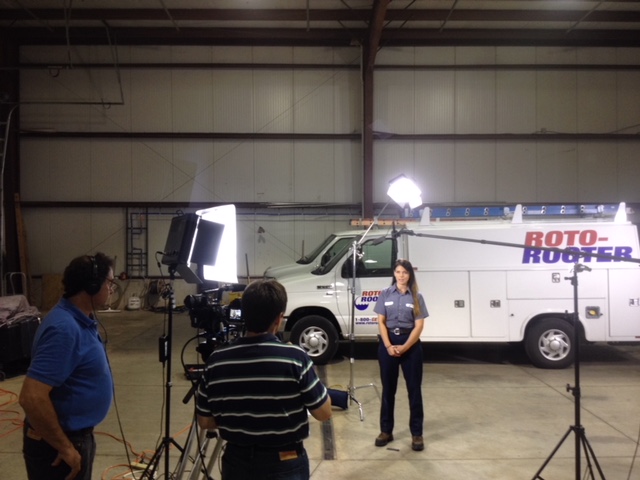
If you’re creating a how-to or instruction video, you’ll likely want to include talking heads in the video. Talking heads are sections of a video that feature an employee or subject matter expert discussing a topic. You’ll want to record at least one talking head for each main point in your script. When recording the talking head, make sure the employee is in front of a plain background that doesn’t contain any distractions. When you’re recording the talking heads, have employees wear a blue shirt or something that stands out from the background. This will help you easily edit out the background in the final video.

step by step instructional videos

Add Voice-Over and Sound Effects

Once you’ve recorded the video and have the necessary talking heads, you can move on to editing the video. During the editing process, you’ll want to focus on adding a voice-over and sound effects. When editing the talking heads, you’ll want to make sure you cut out any unnecessary material. You also want to move the talking head out of the frame as quickly as possible. This will help the video appear more seamless. When editing the voice-over, make sure to keep the narration short and succinct. You should also aim for a voice that works well with your company image. Plus, make sure the voice-over matches the energy of the video.

Conclusion

Creating instructional videos is a great way to train employees who are unable to attend in-person training sessions. These videos can also be used to provide one-on-one training for employees who excel at self-guided learning. To create high-quality instructional videos, you’ll need to write a script and record talking heads of employees doing their job. You’ll also want to add voice-over and sound effects during the editing process.

314-913-5626
Mike Haller
St Louis Video Producer
stlouiscameracrew@gmail.com

Video Production Company | Corporate Videographers

Our video production company based in St. Louis is dedicated to delivering high-quality corporate videos, commercials, marketing content, multi-camera live event coverage, expertly-crafted documentary films and series, interviews, music videos, and narrative films.

Our professional video crew can shoot and edit footage, create unique scripting, provide royalty-free music, and much more. We want our passion to shine through businesses of all sizes, from small startup businesses to large corporations and associations. And no matter who our client may be, they always receive the same unrivaled level of service.

We always work hard to deliver the best videos for any business. All our services are delivered at the highest possible standard as possible. We are well equipped with the latest gear and all of our crew members have vast experience in may types of productions.

We’re always available and can provide you with a 1-2 person camera crew, an experienced producer, or a full-scale production team. Need a collaborative partner to take your vision from script to screen? We do that too.

314-913-5626
Mike Haller
St Louis Video Producer
stlouiscameracrew@gmail.com

Live event streaming for drone and video production.

We’re an experienced team of creative video production professionals creating branded content & visuals that complete your vision and fit your budget.

No matter the scope of your creative concepts, be it big broadcast or a small budget online film, our team’s talent, technology, and experience allows your ideas to move from shoot to audio to post and final design in a seamless integrated fashion.

Let’s begin. Let’s create your message that sells, builds brands and connects.

Production

Full Service Video Production, Location & In-studio, from Script to Screen

Audio

Location Sound, Custom Music, Experienced Talent Recordings

Video Post

Editing, Post-Production, Visual Special Effects, Video graphics and animation

Aerial Photography

Aerial Videography, Mapping Projects, Fully licensed & insured

Studio Rental

Studio Rental, Cyc wall, Dressing & Makeup Room and Gear

314-913-5626
Mike Haller
St Louis Video Producer
stlouiscameracrew@gmail.com
Saint Louis, Missouri, USA  | St Louis Video Production

St Louis Camera Crews for Ground and Aerial Footage

Experienced Camera Crews

Our video production crews are experienced professionals with full credentials and years of industry experience in broadcast programming, commercials, documentaries and corporate marketing videos.  Whether you need a videographer for a single day shoot or a production crew, our video team is staffed with highly skilled local professionals.

We specialize in corporate, advertising and editorial photography for clients of all types and sizes. We’re local and have a long record of efficiently producing high-quality portraits, architectural images and product photography, as well as corporate event photography and editorial assignments.

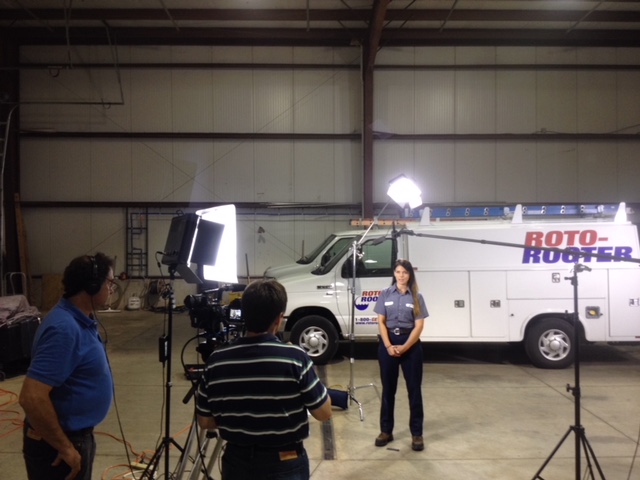
st louis camera crews on location

Studio Location: We have a full-service studio or we can provide a full range of photo & video services anywhere on location. This will help you save money. You won’t have to shut down to go the photo studio!

experienced cleanroom video crews

Whether we’re directing a large ad agency shoot for a prestigious agency or a low-budget portrait for a corporate marketing department, we bring creative energy and decades of experience to every project.

314-913-5626
Mike Haller
St Louis Video Producer
stlouiscameracrew@gmail.com
Saint Louis, Missouri, USA  | St Louis Video Production

St Louis Drone Photography

St Louis Aerial Photography for GM Wentzville

St Louis Aerial Photography for GM Wentzville

We fly with the Inspire Cinematography platform and camera.

The Inspire has a curved lens design which eliminates distortion, and the 20mm focal length opens up your shots to a remarkably wide angle without that fish-eye look.  The camera shoots video at 4K, 4096 x 2150 High Definition.

The 3-axis gimbal constantly draws on data fed by the intelligent flight controller, so it knows the aircraft’s flight parameters and computes the proper motion correction every millisecond.  Such precision is only possible because of the ultra-fast, custom-made processor that is unique to the Inspire gimbal. Operating at speeds that allow the gimbal to compensate for motion and tilt in real-time, this processor controls motors on all three axes: yaw, tilt, and roll.  All resulting in very smooth and completely stable shots.

314-892-1233

Mike Haller

St Louis Video Producer

mikeh@hallerconcepts.com

Saint Louis, Missouri, USA  | St Louis Video Production