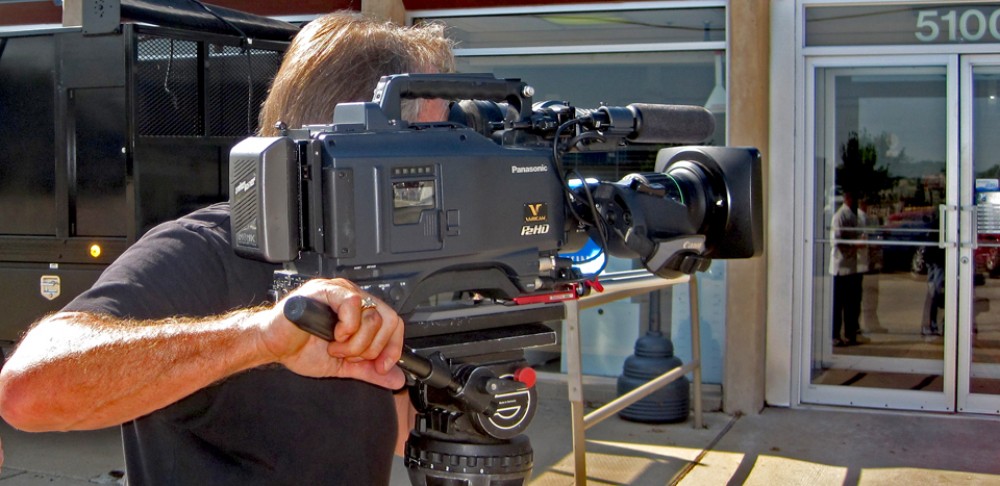
What is a Camera Crew?

In the world of video production, a camera crew plays a pivotal role in bringing creative visions to life. Whether you’re a filmmaker, business owner, or content creator, understanding the ins and outs of a camera crew’s role can significantly enhance your video production process. In this comprehensive guide, we will delve into the intricacies of what a camera crew is, what they do, and how they contribute to the creation of memorable videos.

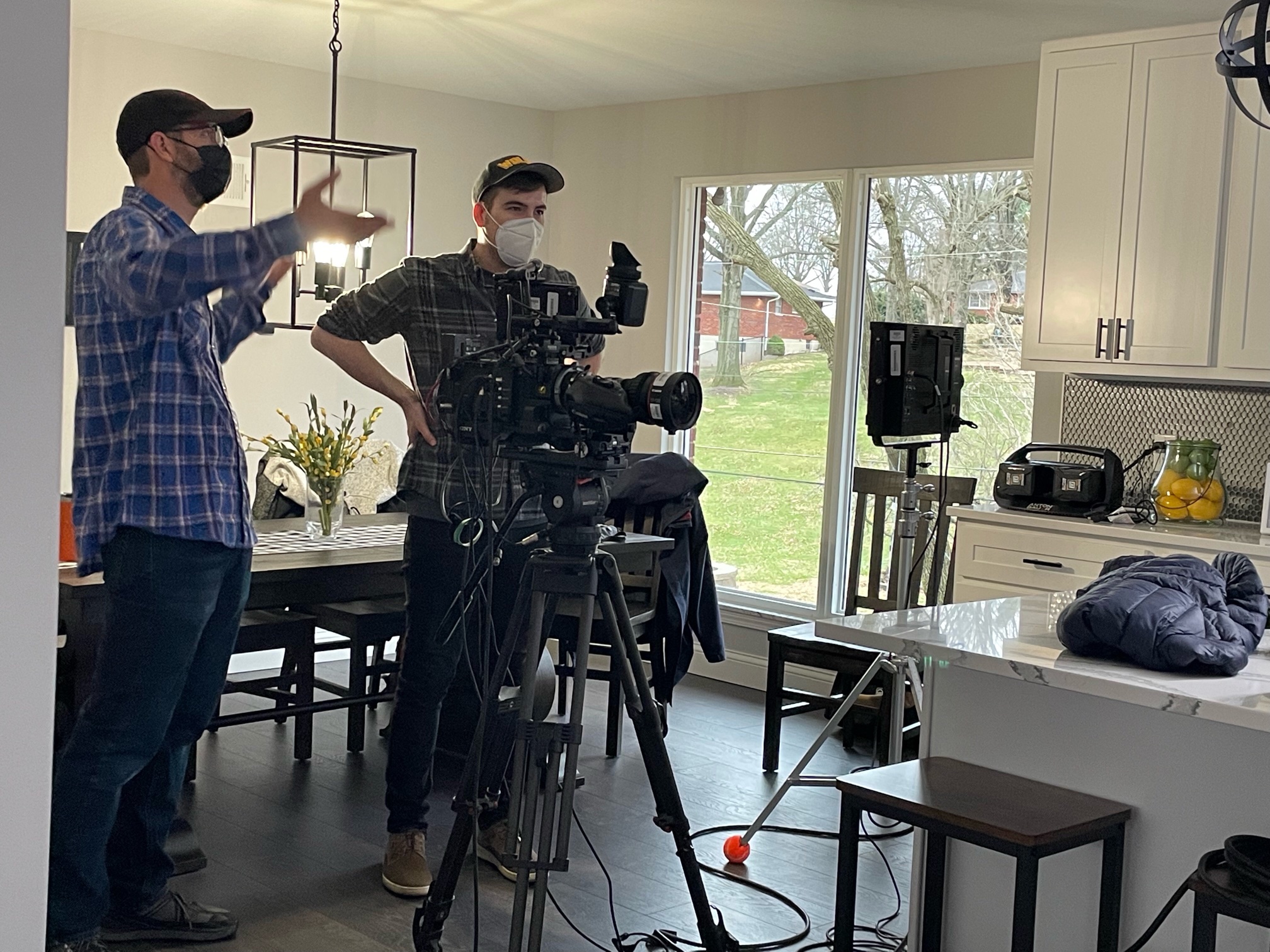
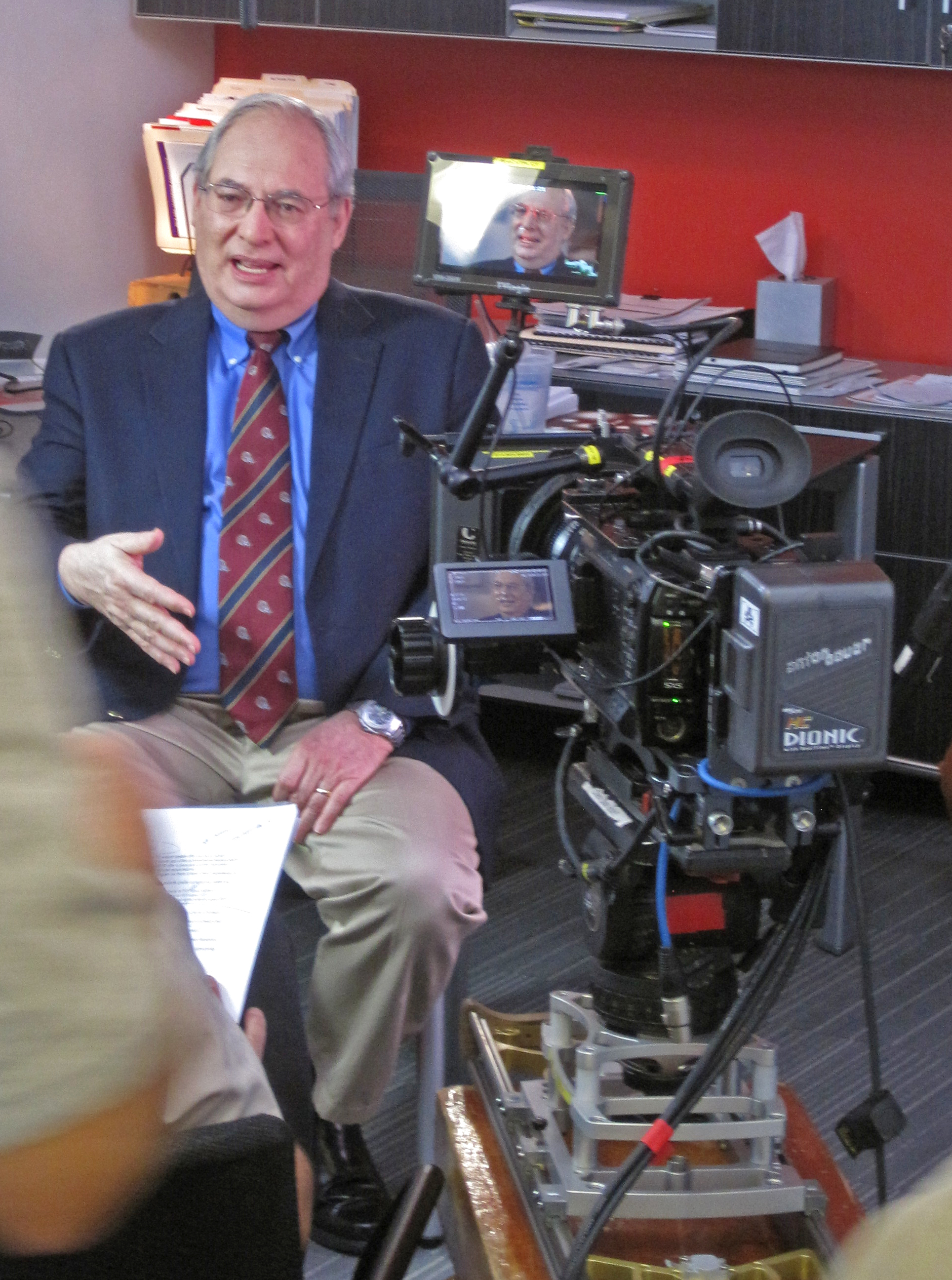
The DP works closely with the camera operator and assistant to capture each shot according to the script and director’s vision.

Table of Contents

  1. Introduction
  2. Roles and Responsibilities
    • 2.1. Director of Photography (DP)
    • 2.2. Camera Operator
    • 2.3. Camera Assistant
    • 2.4. Gaffer
    • 2.5. Grip
  3. Equipment and Gear
    • 3.1. Cameras
    • 3.2. Lenses
    • 3.3. Lighting
    • 3.4. Audio
  4. The Creative Process
  5. Challenges Faced by Camera Crews
  6. Full-Service Commercial Video Production
  7. Conclusion

1. Introduction

A camera crew is a team of skilled professionals responsible for capturing moving images, whether for film, television, commercials, or other forms of visual media. These individuals work in harmony to ensure that every frame is captured with precision, artistry, and technical expertise.

2. Roles and Responsibilities

A typical camera crew comprises several key roles, each with distinct responsibilities. Let’s take a closer look at these roles:

2.1. Director of Photography (DP)

The Director of Photography, often referred to as the DP or cinematographer, is the creative mastermind behind the camera crew. They work closely with the director to translate the visual elements of the script into captivating imagery. Responsibilities of the DP include:

  • Choosing the camera and lenses that best suit the project’s aesthetic.
  • Determining the composition, framing, and camera movements for each shot.
  • Collaborating with the lighting department to achieve the desired mood and atmosphere.
  • Overseeing the camera crew and ensuring the technical quality of the footage.

2.2. Camera Operator

The camera operator is the person physically operating the camera during a shoot. They are responsible for executing the DP’s vision by framing shots, adjusting focus, and operating the camera smoothly. Key duties of a camera operator include:

  • Maintaining a steady hand and a keen eye for framing and composition.
  • Adjusting camera settings, such as aperture, shutter speed, and ISO, as needed.
  • Collaborating closely with the DP to achieve the desired visual style.
  • Ensuring the camera is in optimal working condition throughout the shoot.

2.3. Camera Assistant

Also known as the 1st Assistant Camera (1st AC) or focus puller, the camera assistant plays a critical role in ensuring that shots are in focus and camera equipment is well-maintained. Their responsibilities include:

  • Pulling focus during shots to keep subjects sharp and clear.
  • Monitoring and maintaining camera equipment, including lenses and accessories.
  • Assisting with camera setup and breakdown.
  • Managing the loading and unloading of film or digital media.

2.4. Gaffer

The gaffer is the head of the lighting department and is responsible for creating and controlling the lighting on set. Their duties include:

  • Collaborating with the DP to design and execute the lighting plan.
  • Operating lighting equipment, such as lamps, fixtures, and grip equipment.
  • Adjusting lighting to achieve the desired mood and ambiance for each scene.
  • Managing the electrical aspects of lighting setups.

2.5. Grip

Grips are the unsung heroes of the camera crew, responsible for handling and rigging various equipment to support the camera and lighting departments. Grip duties include:

  • Setting up and adjusting camera support systems, such as dollies, cranes, and tripods.
  • Rigging and positioning lighting fixtures.
  • Ensuring the safety of equipment and personnel on set.
  • Assisting with the movement and transportation of equipment.

3. Equipment and Gear

A camera crew relies on a range of specialized equipment and gear to capture high-quality footage. Let’s explore some of the essential items commonly used in video production:

3.1. Cameras

The choice of camera can greatly impact the visual style of a project. Camera crews work with various types of cameras, including digital cinema cameras, DSLRs, and mirrorless cameras. Each camera has unique features and capabilities, making it suitable for different scenarios.

3.2. Lenses

Lenses are a crucial aspect of cinematography, as they determine the depth of field, focal length, and overall look of a shot. Camera crews often have a selection of lenses to choose from, ranging from wide-angle to telephoto, prime to zoom.

3.3. Lighting

Proper lighting is essential for achieving the desired look and atmosphere in a video. Lighting equipment includes various types of lights, diffusers, reflectors, and modifiers. The gaffer and their team work together to set up and control the lighting on set.

3.4. Audio

While audio production typically involves a separate department, the camera crew must also consider sound capture during the shoot. This may involve using shotgun microphones, lavalier microphones, and audio recorders to ensure high-quality sound.

4. The Creative Process

The collaboration between the camera crew and the creative team is at the heart of successful video production. Here’s how the creative process typically unfolds:

  1. Pre-Production: During this phase, the DP and camera crew work with the director and production team to plan the visual elements of the project. This includes choosing the right equipment, scouting locations, and creating shot lists.
  2. Production: Once on set, the camera crew executes the plan established during pre-production. The DP works closely with the camera operator and assistant to capture each shot according to the script and director’s vision.
  3. Post-Production: After the footage is captured, the camera crew’s role continues as they collaborate with the editing team. They provide input on color correction, visual effects, and other post-production processes to ensure the final product aligns with the intended look.
  4. Feedback and Revisions: Throughout the creative process, the camera crew remains open to feedback and revisions. They work closely with the director and producers to make adjustments as needed to achieve the desired result.

5. Challenges Faced by Camera Crews

Working as a camera crew can be rewarding, but it also comes with its fair share of challenges. These challenges include:

  • Technical Precision: Camera crews must be highly skilled to ensure that shots are in focus, well-composed, and properly exposed.
  • Adaptability: Every project is unique, and camera crews must be adaptable to different shooting conditions, equipment, and creative visions.
  • Long Hours: Shoots often involve long hours, especially in outdoor locations or when tight deadlines are involved.
  • Communication: Effective communication is essential, as camera crews must understand and execute the director’s vision.

6. Full-Service Commercial Video Production

At St. Louis Camera Crew, we pride ourselves on being a full-service commercial video production company with extensive experience and state-of-the-art equipment. Our team of skilled professionals excels in all aspects of camera crew work, from pre-production planning to post-production collaboration.

What Sets Us Apart:

  • Extensive Equipment: We boast a wide range of high-quality cameras, lenses, lighting equipment, and audio gear to meet the specific needs of each project.
  • Broad Crew Experience: Our crew members are seasoned professionals who have worked on a diverse array of projects, from corporate videos to documentaries and commercials.
  • Full-Service Studio and Location Production: Whether you need a controlled studio environment or on-location shooting, we have the expertise and equipment to deliver exceptional results.
  • Personal Brand Identity: We understand the importance of creating videos that align with your brand identity. We offer customization options and ensure that your videos are optimized for various media platforms with proper SEO.
  • Media Expertise: Our team is well-versed in handling all file types and styles of media, ensuring that your final product is of the highest quality and meets industry standards.

7. Conclusion

In conclusion, a camera crew is a crucial component of any video production, responsible for bringing creative visions to life. The roles within a camera crew, including the Director of Photography, camera operator, camera assistant, gaffer, and grip, each play a vital part in capturing compelling footage.

At St. Louis Camera Crew, we have the experience, equipment, and expertise to meet all your video production and crewing needs. Whether you require full-service studio production or on-location shooting, we are here to help you create memorable videos that get results. Contact us today to discuss your project and discover how we can bring your vision to life.

314-913-5626

stlouiscameracrew@gmail.com

Harnessing the Power of Social Content Videos: A Guide to Creating Engaging Video Clips for Social Media Platforms.

Unlock the potential of your social content videos.

Are you looking to create compelling video clips that attract viewers on social media? This guide will show you how to create eye-catching videos that can help capture your audience’s attention and drive engagement. Discover the power of social content videos and start growing your online presence today.

Introduction to Social Content Videos

Social content videos have become an important asset for any modern business looking to engage and grow their online audiences. As the use of video increases, it is essential for businesses of all sizes to understand how to create short and impactful video content that resonates with their target market.

In today’s digital landscape, social content videos offer a unique opportunity for businesses to increase customer acquisition, drive sales, foster a sense of community and engagement with followers, express their brand message in a creative way and reach a much wider audience. Social Content Videos come in many different shapes and sizes – from educational pieces outlining how products work or how customers can solve common problems to fun lifestyle episodes taking the audience on an adventure with the brand.

By mastering the craft of creating impactful social content videos that connect with viewers, businesses can tap into platforms such as YouTube, Facebook & Instagram while building better relationships with their targeted customers. This guide explores some of the important elements to consider when creating social content videos including:

  • Storyboarding ideas
  • Choosing equipment & software options
  • Setting achievable production goals & deadlines

An understanding of these components will ensure that any business or individual is able to maximize their potential in creating engaging visual stories through social content videos.

Benefits of Social Content Videos

Social content videos are an effective way to engage with your customers and increase brand reach on social media platforms. Video clips bring life to your message, making it easier for your customers and potential customers to remember your brand messaging. Social content videos also help you create meaningful connections with your customers, encouraging them to browse and consume more of your content which can directly lead to increased sales and reach for your business.

When creating social media videos, there are several advantages that must be taken into consideration:

  • Increased Visibility: Social media videos create direct connections with users across multiple platforms, resulting in higher user engagement compared to other forms of content such as text posts or images. Furthermore, videos have the potential to increase visibility on search engines as they often appear higher in results than other types of content.
  • Easy Accessibility: Unlike traditional television commercials that require a special device for viewing (i.e., television), social video clips can be accessed on all smart devices which makes them readily available to most people around the world.
  • Improved Brand Reputation: Social media videos can help build trust with users by informing them about new product releases, updates or by simply providing entertainment and value provide by the company’s products or services. Videos also make it easier for viewers to understand complex topics by presenting them in a simple format that is easy for everyone understand.

Tips for Creating Engaging Video Clips

Whether you are a seasoned content creator or just starting out in the world of video creation, it’s important to understand the importance of creating engaging social content videos. Online and mobile video platforms are becoming more popular each day, making it necessary for businesses to take advantage of these opportunities and create videos that will capture the attention of their viewers.

When creating your own social content videos, there are some important tips and tricks you should keep in mind to ensure viewers remain engaged and interested in your content. Here are 8 tips that can help you create successful engaging video clips:

  1. Know Your Audience – Before you start creating, think about who you’re trying to target with your message. Knowing who you want to reach will help inform how you choose visuals as well as language used in your videos.
  2. Keep It Short – Social media users tend to have shorter attention spans than traditional television viewers so aim for short videos around 60-90 seconds long. Remember less is more when it comes to engagement!
  3. Make It Visual – Online platforms like Instagram and TikTok have made visuals key components of social media success; use high quality imagery (something eye catching) so that viewers can easily identify what they’re looking at without having to guess or strain their eyes while they watch your clip!
  4. Use Captivating Content – Add elements such as clever music or eye-catching animations or graphics, which will help keep people engaged with your content longer than if it were just talking heads or lifeless text on a screen (lengthy monologues aren’t engaging!).
  5. Promote Your Message – Ensure the core message is easy to understand by including an introduction at the start of the video explaining what viewers can expect from watching it; this is also a great way for them to interact with different parts of the clip from learning something new, finding entertainment value, being inspired etc…
  6. Include a Call To Action (CTA)– Make sure your CTA stands out! Without one people may watch but won’t feel compelled enough do anything about what they just watched so include an CTA that encourages viewer action either by asking them directly or providing them with additional information/resources related to what was discussed throughout the clip – a great way boost engagement levels even further!
  7. Leverage Sound Effects & Music – Adding sound effects and/or music not only makes clips more captivating but helps bring pieces together into one cohesive whole – don’t be afraid experiment with sounds which create atmosphere and add emotion/personality behind words being said; this helps make longer messages feel shorter thus providing greater chances interaction between viewing audiences too!
  8. Utilize Social Platforms – Don’t forget promote these types creative works on other social media outlets (Facebook Twitter YouTube etc..) this gives audience even more opportunities engage with brands product offerings throughout their channels ensuring maximum visibility watch time before interest begins its inevitable decline online—so make sure capitalize this advantage early use shareability well-crafted campaigns keep things lively drive conversions!

Best Practices for Creating Social Content Videos

Creating compelling video content for social media platforms is an important part of any digital marketing strategy. Videos are the most engaging form of content and social media users respond strongly to it, so it’s important to get it right.

To maximize their effectiveness and make sure they hit the mark with their intended audience, there are some best practices to follow in order to ensure an optimal outcome:

  • Set specific goals and objectives ahead of time. This will help you stay focused throughout the process and will make sure that your videos align with your overall campaign strategy.
  • Focus on storytelling rather than selling. Make sure your videos capture viewers’ imagination by creating intriguing storylines that stay with them after viewing.
  • Include calls to action at the end of each video to optimize engagement rates and encourage viewers to take a desired action.
  • Have a plan for repurposing content in order to maximize its reach. Redesigning existing videos for different platforms can help you get more mileage out of them without having to start from scratch each time.
  • Choose an appropriate style for each platform you intend to post on, as something created for YouTube may not offer enough impact when posted on Twitter or Instagram, where shorter clips are more likely to be noticed in users’ feeds.
  • Make sure your videos are optimized for mobile devices as that is where viewers prefer watching video content today, typically while they’re on the go or multitasking during other activities.

By following these guidelines, you should be able social content videos that generate maximum engagement with your target audience and deliver amazing results!

Strategies for Promoting Social Content Videos

Videos are a powerful and versatile format that can be utilized in a variety of ways to engage viewers, tell stories, and drive action on social media platforms. Creating engaging social content videos is vital for keeping followers engaged. Here are some strategies for promoting social content videos:

  1. Make it shareable: Videos should contain elements that make them easy for viewers to share with their networks such as creative titles, descriptions, hashtags and relevant themes. This will help garner more views and engagements from the target audience(s).
  2. Utilize previews: Promote your video with captivating thumbnail images, quick clips or trailers in order to pique your viewers’ interest and encourage them to view the full video.
  3. Drive action: Craft videos that have clear calls-to-action so that viewers know what you want them to do after watching such as signing up for a newsletter or purchasing an item.
  4. Get people talking: Create content that sparks conversations among followers such as comedic clips or quizzes as this will help extend reach beyond organic sources to anyone who sees the conversation in their newsfeeds/interacts with it online.
  5. Find influencers: Partner with influencers in related industries who can create original content highlighting your product or service in order to broaden your campaign’s appeal beyond those already interested in its core theme/idea(s).
Creating multimedia content for corporate social media websites.

Measuring the Impact of Social Content Videos

Measuring the impact of your social content videos is an essential way to evaluate the success of your efforts. The type of metrics used for evaluating success will depend on the platform and the specific post or campaign goals. In general, you should track metrics such as view count, shares, likes, comments, engagement level (interactions), reach, impressions, and time spent. Having analytics on video performance can help you understand how viewers are engaging with your content and what types of videos they prefer.

It’s also valuable to measure and compare video performance across platforms so you can identify where your videos have the most impact. Additionally tracking benchmarks over time can help you identify trends in viewership and gain insight into how viewers engage with different types of media. Understanding what resonates best will help inform future creation strategies so that you can consistently create compelling social content videos for a wide range of audiences.

Examples of Engaging Social Content Videos

Social content videos are one of the most powerful tools available to businesses today. With the right content, they can help build relationships with customers, boost brand awareness, and generate leads and sales. To maximize their impact, these videos need to engage with can audiences in a meaningful way. There are a variety of different types of social content videos that can be used on different platforms such as Twitter, Instagram and Facebook. Here are some examples of engaging social content videos that could be used on each platform.

  • Twitter – Short “promoting” or behind-the-scenes type clips that showcase products or services while keeping statements concise and direct; ‘How-to’ or “explainer” guides that outline the process or product quickly in an easy-to-follow style; User Reviews/Testimonials for customers to share their experience in short clips
  • Instagram – Short clips featuring staff members highlighting their day at work; Posts displaying products in an interesting way—with props, short skits about products, etc.; Celebrity endorsements sharing how they enjoy using your product
  • Facebook – News updates from the company or industry relating to changes or improvements related to your business; Informational interviews to bring ease of mind to your customers about your values and standards; Personalized messages sending birthday wishes and greetings to individual customers.

Conclusion

Creating engaging video content for social media platforms is one of the best ways to increase brand awareness and visibility. By understanding the key elements needed to create attention-grabbing video clips, you can maximize the potential reach of your campaigns and drive long-term results. While a lot of creativity and thought will go into crafting unique videos, ensure that they are also mobile-friendly, as that’s where most of your views will originate.

Furthermore, it all comes down to creating a compelling story. To do this, focus on creating an emotional connection between your brand and audience by utilizing personal experiences or user-generated content. With the tips presented in this guide, you should now have a clear understanding of how to make light work of the process and unlock the potential of your social content videos.

314-913-5626
Mike Haller
St Louis Video Producer
stlouiscameracrew@gmail.com

How to Make Video and Photography an Integral Part of Your Social Media Marketing Strategy.

Make Video and Photography an Integral Part of Your Social Media Marketing Strategy and witness your engagement levels growth.

Social media marketing is a powerful tool that can help businesses reach new customers, increase brand recognition, and boost sales. As businesses increasingly rely on social media to grow their audience, video and photography have become essential components of a successful social media marketing strategy. By leveraging the power of video and photography, businesses can create more engaging content, reach new audiences, and increase their social media presence. By understanding how to make video and photography an integral part of your social media marketing strategy, you can effectively reach and engage your target audience on the platforms they use the most.

What is social media marketing?

Social media marketing is a strategic marketing approach focused on building relationships and driving engagement through social media channels. It allows businesses to build their brand and reach new audiences by growing their social media presence on various social media platforms. Social media marketing can be used to increase brand awareness, drive traffic to a website, build relationships with customers, increase sales, and engage with customers. Although a variety of social media channels can be used as part of a social media marketing strategy, the most common platforms used for social media marketing are Facebook, Instagram, Twitter, and Pinterest.

Benefits of including video and photography in your social media strategy

Video and photography can help you craft a more memorable brand identity, increase customer engagement, and drive more traffic to your website. When done correctly, video and photography can also help you build a loyal following. When people are scrolling through their social media feeds, the last thing they want to do is stop and read a bunch of paragraphs. They want to be instantly engaged and inspired, and the best way to do that is with visuals. If you want to make an impact on your audience and drive more engagement, video and photos are the way to go. Here are some other benefits of including video and photography in your social-media marketing strategy: – Create more memorable content: A picture might be worth a thousand words, but a video is worth a thousand pictures. Video can help you create content that is more memorable and engaging, which can help you build a more engaged audience and increase your brand recognition. – Drive more traffic to your website: People are more likely to purchase from a brand if they are inspired by the content. Including video and photography in your social media strategy can help you drive more traffic to your website by inspiring your audience to take action. – Build a loyal following: Social media is all about creating relationships with your audience. Videos and photos are more engaging, and people are more likely to stick around if you are offering them something visual. – Improve your brand identity: Video and photography can help you craft a more memorable brand identity and make your content more relatable. – Utilize vertical video and photography: Since most social media content is viewed on a mobile device, you might as well make the most of the screen real estate. Vertical video and photography can help you use the space better and have a more immersive experience on social media.

Tips for creating effective video and photography content

Before you begin creating video and photography content, it is important to determine your goals and understand your audience. Then you can brainstorm ways to create content that meets their needs and meets your goals. Here are some tips for creating effective video and photography content: – Define your goals: Before you get started with video and photography content, it is important to define your goals. What do you want to accomplish with your video and photography content? What problems are you hoping to solve? – Know your audience: Understanding your audience and what they want from your video and photography content is key to creating effective content. If you want to increase engagement, you might want to consider video content. If you want to drive more traffic to your website, you might want to consider photography content. – Brainstorm ways to create video and photography content: Once you have determined your goals for video and photography content, it is time to get creative and brainstorm ways to create video and photography content. You want to make sure that the content you create aligns with your goals and your brand. – Keep your content short and to the point: Most social media users don’t have the attention span to sit through a three-minute video. People are scrolling through their feeds quickly and want to get the information they are looking for quickly.

Strategies for using video and photography to increase engagement

Video and photography are great ways to increase engagement and drive more conversation on social media. Here are a few strategies for using video and photography to increase engagement: – Create a consistent social media presence: Consistent social media posts can help you build a more engaged audience on social media. Create a social media content calendar to stay consistent in your posting. – Post at the best times: The best time to post on social media varies based on your industry and target audience. You can use tools like Later to find out when your audience is online and see what days and times get the most engagement. – Incorporate video and photography into your content: You can use video and photography throughout your content, not just in one post. Incorporating video and photography throughout your content can help you make a bigger impact and increase engagement. – Collaborate with other social media users: Collaborating with other social media users and involving your audience in your video and photography content can help you create more engaging content.

creating engaging content with our camera crews using photography and video for each project

Best practices for optimizing video and photography content

Once you have created your video and photography content, it is important to optimize it for social media. Optimizing your video and photography content can help you increase engagement and reach a wider audience. Here are some best practices for optimizing video and photography content: – Create a consistent brand identity: Make sure that all of your video and photography content aligns with your brand identity. If you are a B2B brand, don’t create video content that is light, silly, and fun. Keep it consistent and professional. – Create consistent intros and outros: Brand intros and outros are a great way to stay consistent in your video content. You can also use these to direct your audience to other parts of your website or social media pages. – Keep your video and photography short: Most social media users don’t have the attention span to sit through a three-minute video. People are scrolling through their feeds quickly and want to get the information they are looking for quickly. – Host video and photography on your website: You can host your video and photography on your website and use social media to direct your audience to your site. This can help you drive more traffic to your website and increase conversions.

314-913-5626
Mike Haller
St Louis Video Producer
stlouiscameracrew@gmail.com

Create Instructional Videos for Your Specific Needs

Do you need to train more employees, but are unable to keep up with the demand for training? Or do you have trainers who are not able to train all the employees because of time constraints and availability? In both cases, creating instructional videos is a great solution. Instructional videos will make it easier for employees to learn new skills on their own time. These videos can be used for initial employee training as well as ongoing reinforcement. Creating instructional videos is a simple way to give your employees the one-on-one training they need. Here’s how you can create instructional videos that meet your specific needs.

What is an Instructional Video?

An instructional video is a recording of an activity or process that is designed to educate or train viewers. These types of videos are used in many different industries and settings, including online courses, corporate training videos, and coaching and mentoring content. Instructional videos can be live-action videos, animated videos, or a combination of both. When creating an instructional video, you’ll need to decide on the type of video that best meets your needs. There are three main types of instructional videos: instructional, how-to, and demonstration.

Write a Script

A script is a key step in the process for creating a high-quality video. Without a script, you may run the risk of creating a video that doesn’t have a clear message or that is too long. Your script should be based on the training needs of your employees. Depending on the type of instructional video you are creating and the information you want to include, the script will be different. In most cases, you’ll want to keep your script short. Aim for between 60 and 90 seconds per video. When writing your script, make sure to include the following elements: – Introduction: Include an opening that clearly states the topic of your video and the reason it’s being created. This introduction should also be written in a way that grabs the attention of your audience and encourages them to keep watching. – Audience and context: Next, you’ll want to address your audience and include some information about the context of your video. This is where you might include a few details about the company or industry that your video will be used for. – Key points: In this section, list the key points you want to cover in your video. You can include more than one key point if necessary. Make sure to include enough detail to thoroughly cover each key point. – Closing: End your video by summarizing the key points you covered and reminding your audience of any takeaways you’d like them to remember. This part of your script should be short and to the point.

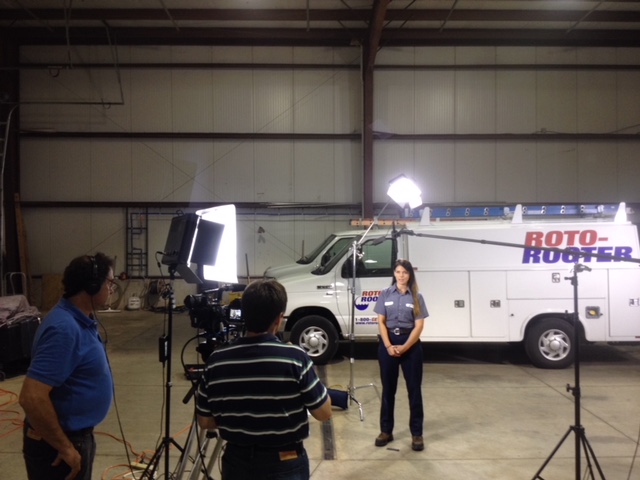
st louis camera crews on location creating a training video

Find the Right Filming Location

There are a few different factors to consider when choosing the filming location for your instructional video. First, consider the message you want to send by filming at a specific location. If you’re creating an instructional video for your employees, you might want to film the video at your office location. You should also consider the availability of the filming location and whether or not it’s accessible to everyone. Make sure to account for any accessibility issues when choosing a filming location. Finally, you’ll want to take into account the equipment needed for filming. Depending on the type of video you’re creating, you’ll likely need a camera. For example, if you’re creating a live-action video, you’ll want a camera that supports filming in that setting.

Record Talking Heads of Employees Doing Their Job

If you’re creating a how-to or instruction video, you’ll likely want to include talking heads in the video. Talking heads are sections of a video that feature an employee or subject matter expert discussing a topic. You’ll want to record at least one talking head for each main point in your script. When recording the talking head, make sure the employee is in front of a plain background that doesn’t contain any distractions. When you’re recording the talking heads, have employees wear a blue shirt or something that stands out from the background. This will help you easily edit out the background in the final video.

step by step instructional videos

Add Voice-Over and Sound Effects

Once you’ve recorded the video and have the necessary talking heads, you can move on to editing the video. During the editing process, you’ll want to focus on adding a voice-over and sound effects. When editing the talking heads, you’ll want to make sure you cut out any unnecessary material. You also want to move the talking head out of the frame as quickly as possible. This will help the video appear more seamless. When editing the voice-over, make sure to keep the narration short and succinct. You should also aim for a voice that works well with your company image. Plus, make sure the voice-over matches the energy of the video.

Conclusion

Creating instructional videos is a great way to train employees who are unable to attend in-person training sessions. These videos can also be used to provide one-on-one training for employees who excel at self-guided learning. To create high-quality instructional videos, you’ll need to write a script and record talking heads of employees doing their job. You’ll also want to add voice-over and sound effects during the editing process.

314-913-5626
Mike Haller
St Louis Video Producer
stlouiscameracrew@gmail.com

Video Production Company | Corporate Videographers

Our video production company based in St. Louis is dedicated to delivering high-quality corporate videos, commercials, marketing content, multi-camera live event coverage, expertly-crafted documentary films and series, interviews, music videos, and narrative films.

Our professional video crew can shoot and edit footage, create unique scripting, provide royalty-free music, and much more. We want our passion to shine through businesses of all sizes, from small startup businesses to large corporations and associations. And no matter who our client may be, they always receive the same unrivaled level of service.

We always work hard to deliver the best videos for any business. All our services are delivered at the highest possible standard as possible. We are well equipped with the latest gear and all of our crew members have vast experience in may types of productions.

We’re always available and can provide you with a 1-2 person camera crew, an experienced producer, or a full-scale production team. Need a collaborative partner to take your vision from script to screen? We do that too.

314-913-5626
Mike Haller
St Louis Video Producer
stlouiscameracrew@gmail.com

Video Production Company | Video Crews

St Louis Camera Crews brings you advanced knowledge and the latest HD equipment and full packages for lighting, sound and any support services that your project can need or imagine. Our clients include A-B InBev, Bayer, Nestle Purina, Pfizer a host of advertising and PR firms and hundreds of clients directly both large and small.

We continue to be one of the most timely and helpful partners that you can have in the growing world of media production.

314-913-5626
Mike Haller
St Louis Video Producer
stlouiscameracrew@gmail.com

Live event streaming for drone and video production.

We’re an experienced team of creative video production professionals creating branded content & visuals that complete your vision and fit your budget.

No matter the scope of your creative concepts, be it big broadcast or a small budget online film, our team’s talent, technology, and experience allows your ideas to move from shoot to audio to post and final design in a seamless integrated fashion.

Let’s begin. Let’s create your message that sells, builds brands and connects.

Production

Full Service Video Production, Location & In-studio, from Script to Screen

Audio

Location Sound, Custom Music, Experienced Talent Recordings

Video Post

Editing, Post-Production, Visual Special Effects, Video graphics and animation

Aerial Photography

Aerial Videography, Mapping Projects, Fully licensed & insured

Studio Rental

Studio Rental, Cyc wall, Dressing & Makeup Room and Gear

314-913-5626
Mike Haller
St Louis Video Producer
stlouiscameracrew@gmail.com
Saint Louis, Missouri, USA  | St Louis Video Production

St Louis Camera Crews for Ground and Aerial Footage

Experienced Camera Crews

Our video production crews are experienced professionals with full credentials and years of industry experience in broadcast programming, commercials, documentaries and corporate marketing videos.  Whether you need a videographer for a single day shoot or a production crew, our video team is staffed with highly skilled local professionals.

We specialize in corporate, advertising and editorial photography for clients of all types and sizes. We’re local and have a long record of efficiently producing high-quality portraits, architectural images and product photography, as well as corporate event photography and editorial assignments.

st louis camera crews on location

Studio Location: We have a full-service studio or we can provide a full range of photo & video services anywhere on location. This will help you save money. You won’t have to shut down to go the photo studio!

experienced cleanroom video crews

Whether we’re directing a large ad agency shoot for a prestigious agency or a low-budget portrait for a corporate marketing department, we bring creative energy and decades of experience to every project.

314-913-5626
Mike Haller
St Louis Video Producer
stlouiscameracrew@gmail.com
Saint Louis, Missouri, USA  | St Louis Video Production